Features
Everything a range
does in a day.
Rangune was built backwards from the counter: what does the person checking in a walk-up party of five actually need on screen? Every screen below is a capture of the running product, not mockups or renders of a roadmap.
01Booking
Four steps.
One modal.
No account.
Day and time, then who is shooting, how many of them, and what they are shooting. The customer never leaves the page they were on and never has to create a login. The waiver, not a customer account, is the record of who is actually booked, because the person who paid is often not the person who shoots.
-
Calibers are checkboxes, not free text
Weapon category and caliber come from your own catalog, never a typed box. That is what lets a lane rule actually match, and what stops “9 mm”, “9mm” and “9×19” being three different things.
-
One availability engine
The storefront modal, the hosted booking page and this front-desk screen all call the same engine. There is no second calendar to drift out of sync.
-
Deposits or full prepay
Charge the whole booking, a deposit, or nothing at all and settle at the counter. Set it per product, not per customer.
-
Off-peak pricing that runs itself
Tuesday at 2pm should not cost what Saturday at noon costs. Price bands are rules on the lane, applied at quote time.
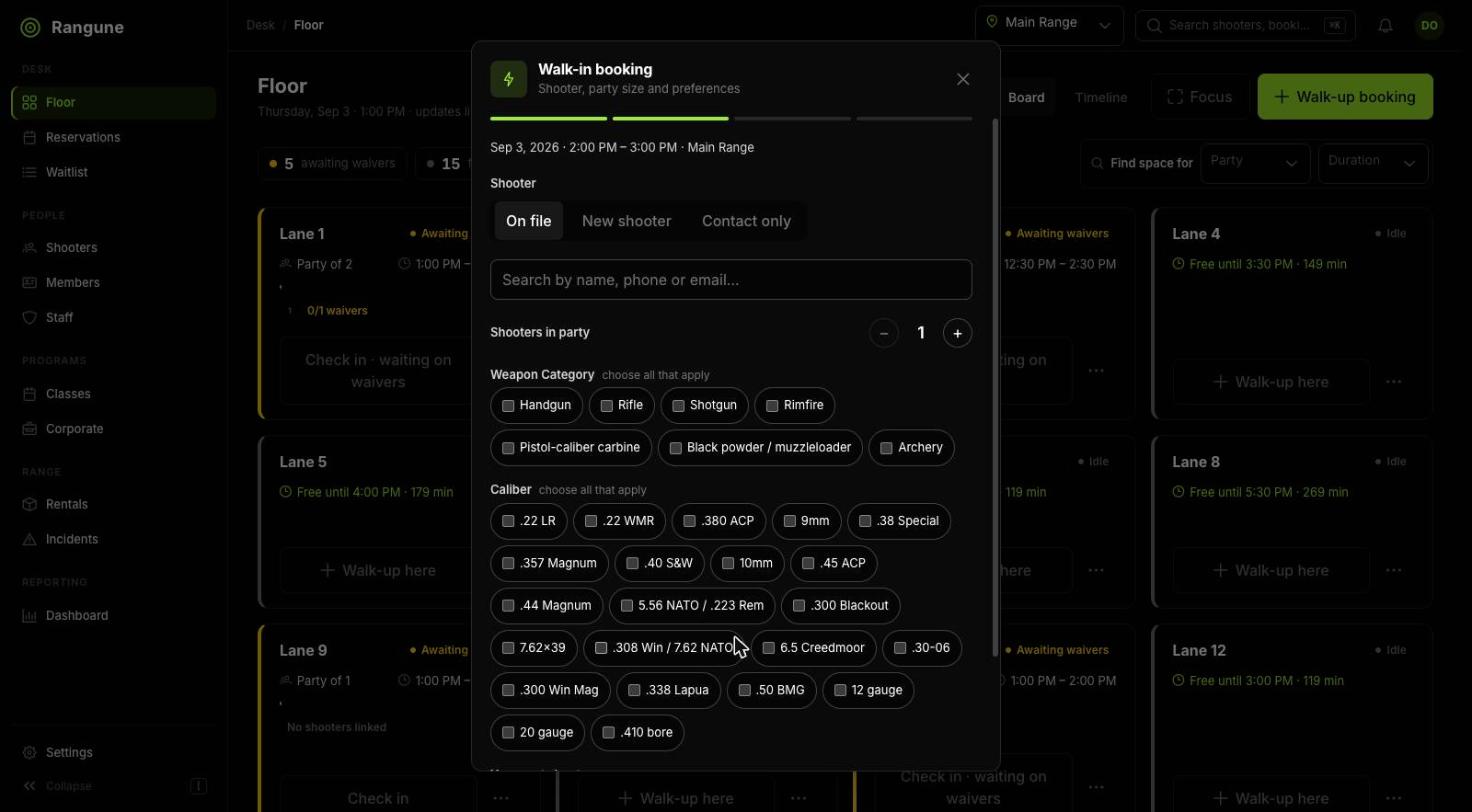
Step 2: who is shooting, how many, and what they are shooting.
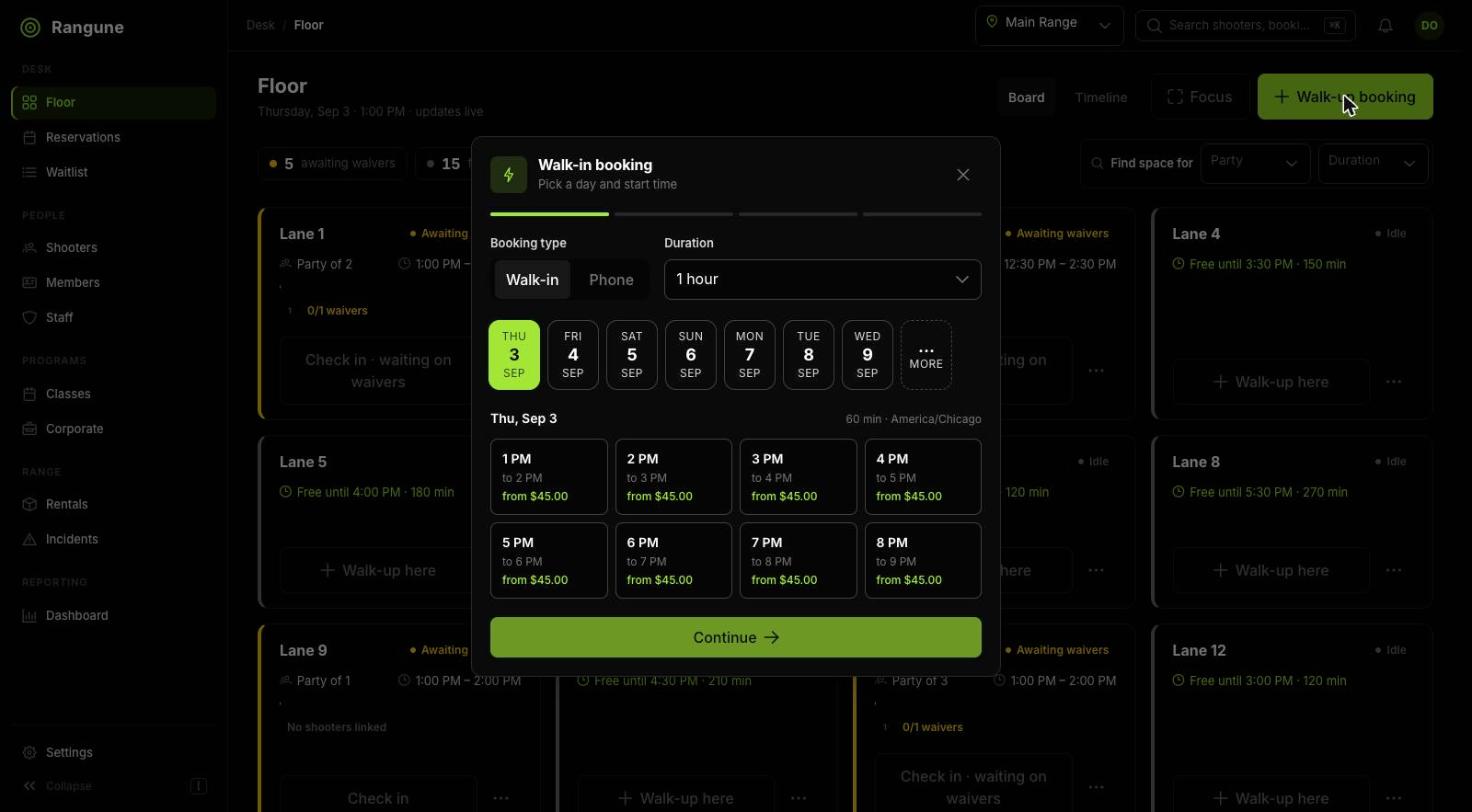
Step 1: the day, the duration, and what each start time costs.
02Waivers & compliance
A signature
per shooter.
Every visit.
One waiver shared across a party is not a waiver, it is a liability. Rangune issues an instance per shooter per visit, shows you exactly who has not signed, and will not quietly let a lane go hot without telling you what is missing.
-
The blocker is on the reservation
A shooter with no waiver reads “Missing” right there, next to a button that resends their link. Nobody has to go looking for the hold-up.
-
Safety sign-off is its own step
An optional rangemaster sign-off, recorded against the reservation and the officer who gave it, separate from the waiver, because they are separate things.
-
Checking in anyway is a decision
Staff can override, but the override is deliberate and logged. It is never the accidental default.
-
QR on a phone or a kiosk in the lobby
The same form either way: the purchaser forwards a link to each guest, or the party signs on a locked-down tablet by the door.
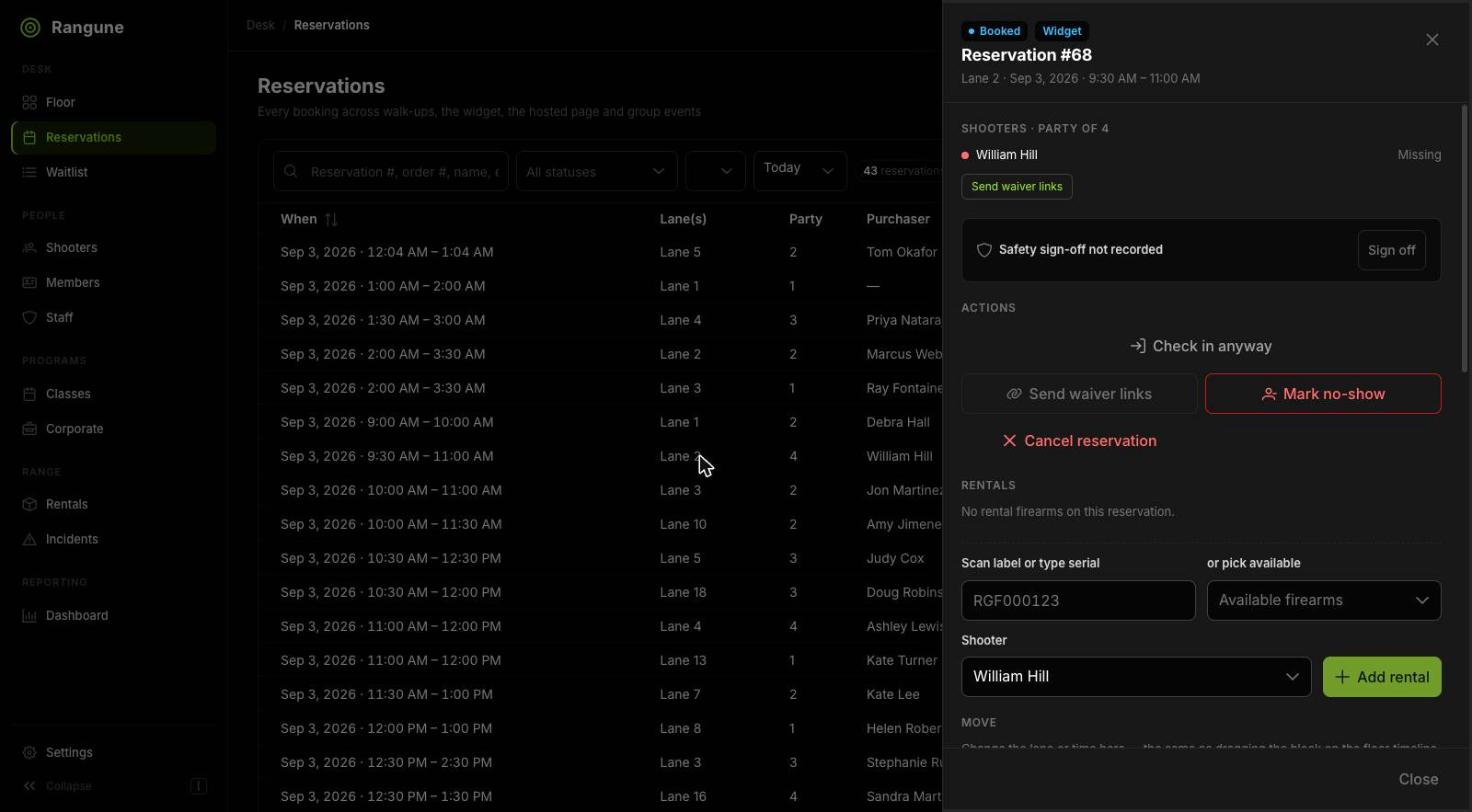
A party of four with one waiver outstanding, and the sign-off not yet given.
03Floor management
Built for
a busy counter.
On a Saturday afternoon nobody has time to click through three screens to find out whether lane 5 is free. The floor gives you two views of the same truth: the board for right now, and the timeline for the shape of the day.
-
Two views of the same floor
The board for the state of every lane this minute. The timeline for where the day is going, with a live now-line running down it.
-
Drag to move a booking
Wrong lane, or a party running late? Drag the block. The rules that governed the original booking are re-checked before it lands.
-
Free time is stated, not inferred
Each lane says how long it is actually free for (“free until 3:30 PM · 149 min”), so a walk-up gets an answer without anyone doing arithmetic.
-
Find space for a party
Give it a party size and a duration and it tells you where they fit, instead of making the front desk read the whole grid.
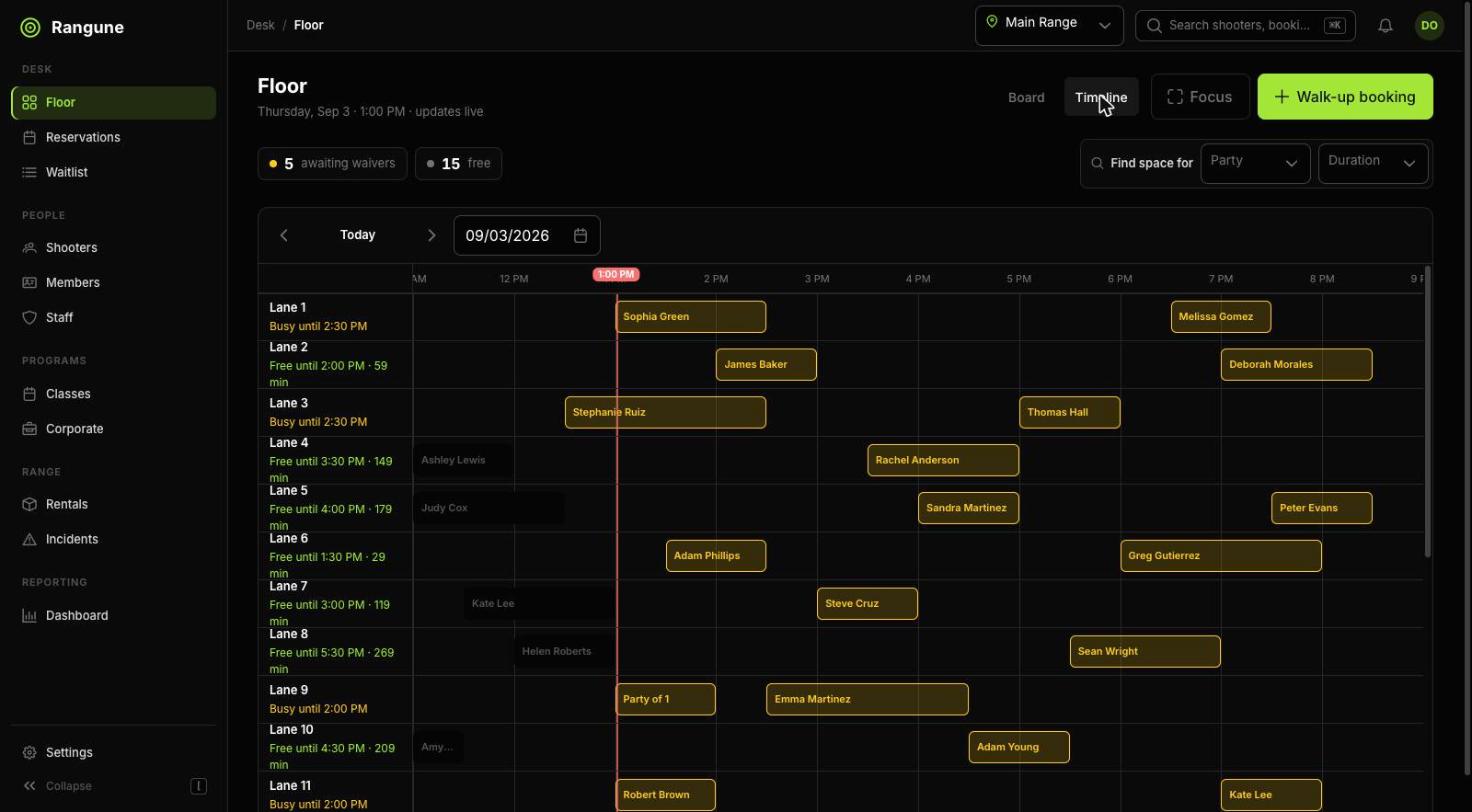
The timeline: the whole day, with a live now-line.
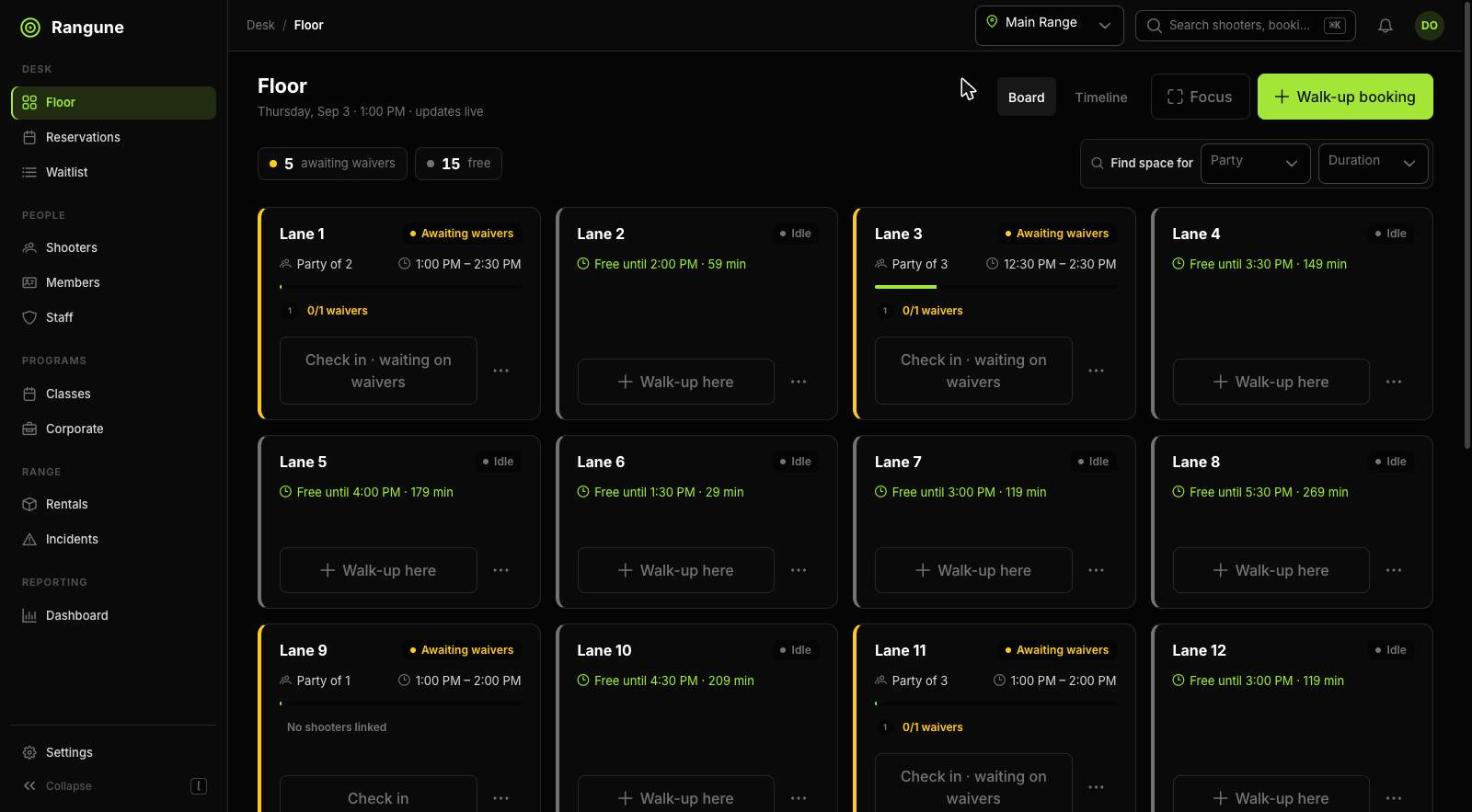
The board: every lane, its state, and what is holding it up.
04Memberships
Recurring revenue
that runs itself.
Tiers, included hours, member pricing and renewal billing, defined once as rules and then enforced everywhere a booking can happen. Your staff never has to remember who gets what.
-
Every member, and where they stand
The plan they are on, whether the subscription is healthy, and the date it renews next, in one list you can search by name, email or plan.
-
Billing through your Stripe account
Renewals, failed-payment retries and cancellations handled by Stripe Billing, with the money landing in your bank.
-
Tiers you define
Name them, price them, set what each includes. Add a tier on a Tuesday afternoon without calling anyone.
-
Member pricing applies itself
The rate is a property of the plan, applied at quote time. Nobody at the counter has to remember the discount.
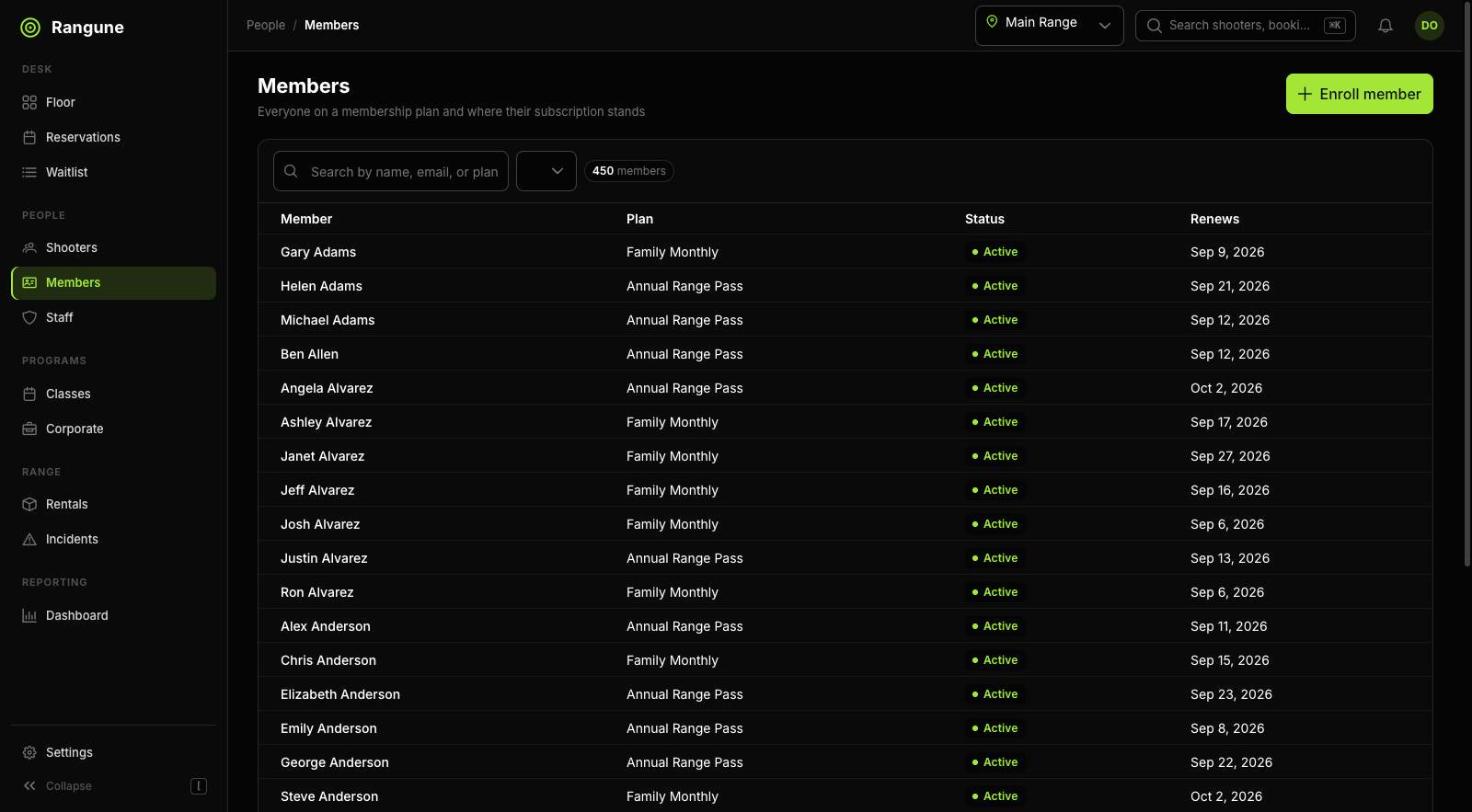
Everyone on a plan, and where their subscription stands.
05Rentals
Chain of custody,
not a notebook.
Every rental is checked out to a named shooter, at a known time, by a known staff member, and checked back in against the same record. Six months later you can still answer who had which firearm and when.
-
Named, never anonymous
A checkout records the shooter and the person who released it. “Walk-up” is not an answer the system will accept.
-
The serial is the record
Serial, barcode, caliber and location on one screen, with a printable label so the next checkout is a scan rather than a search.
-
Round counts and service state
Track rounds through each firearm and its last service date, so it comes off the line before it becomes a problem on it.
-
A full movement log
Total checkouts, last out, last returned, and the custody log behind them, exportable for insurance or audit.
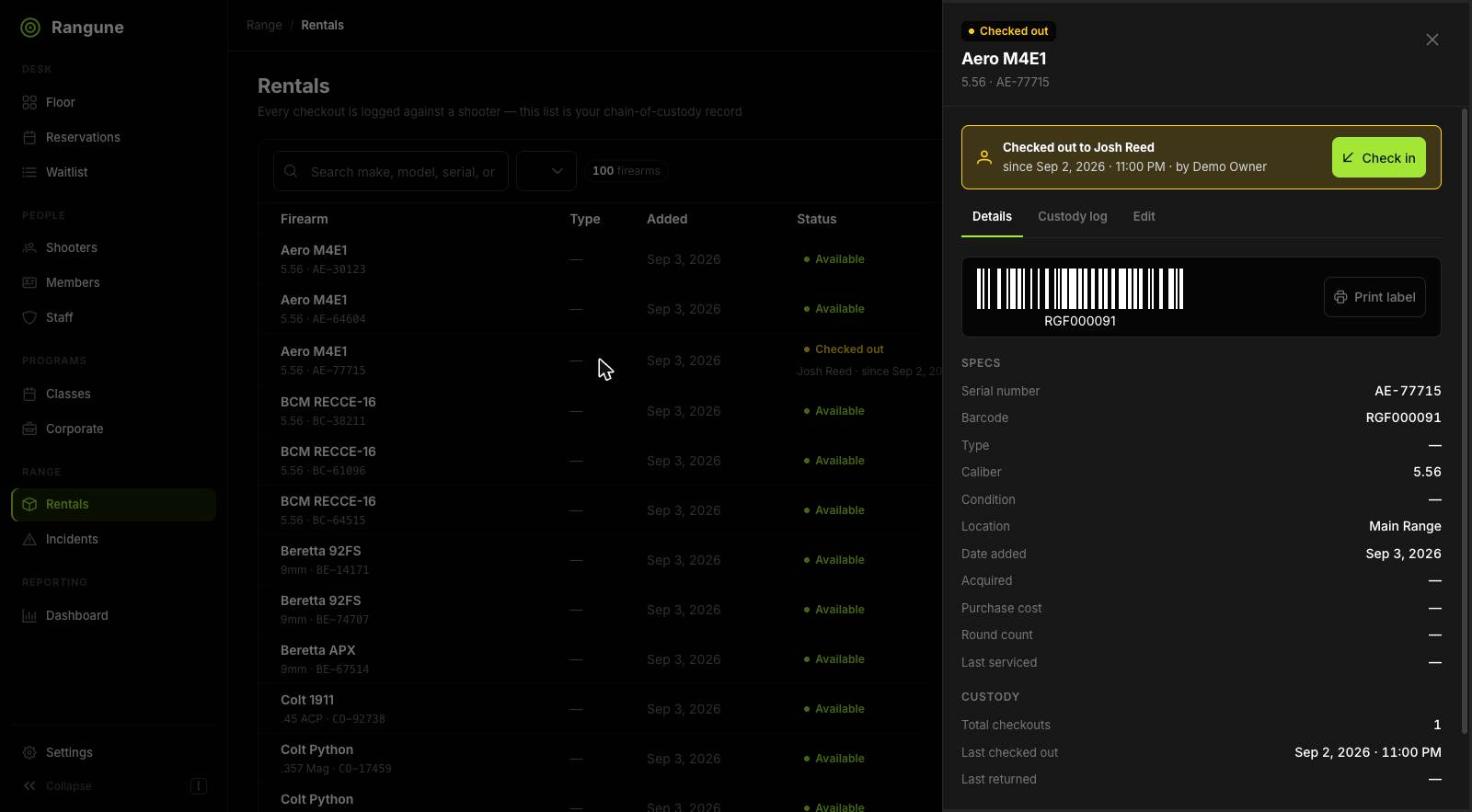
One firearm, its serial, and every hand it has passed through.
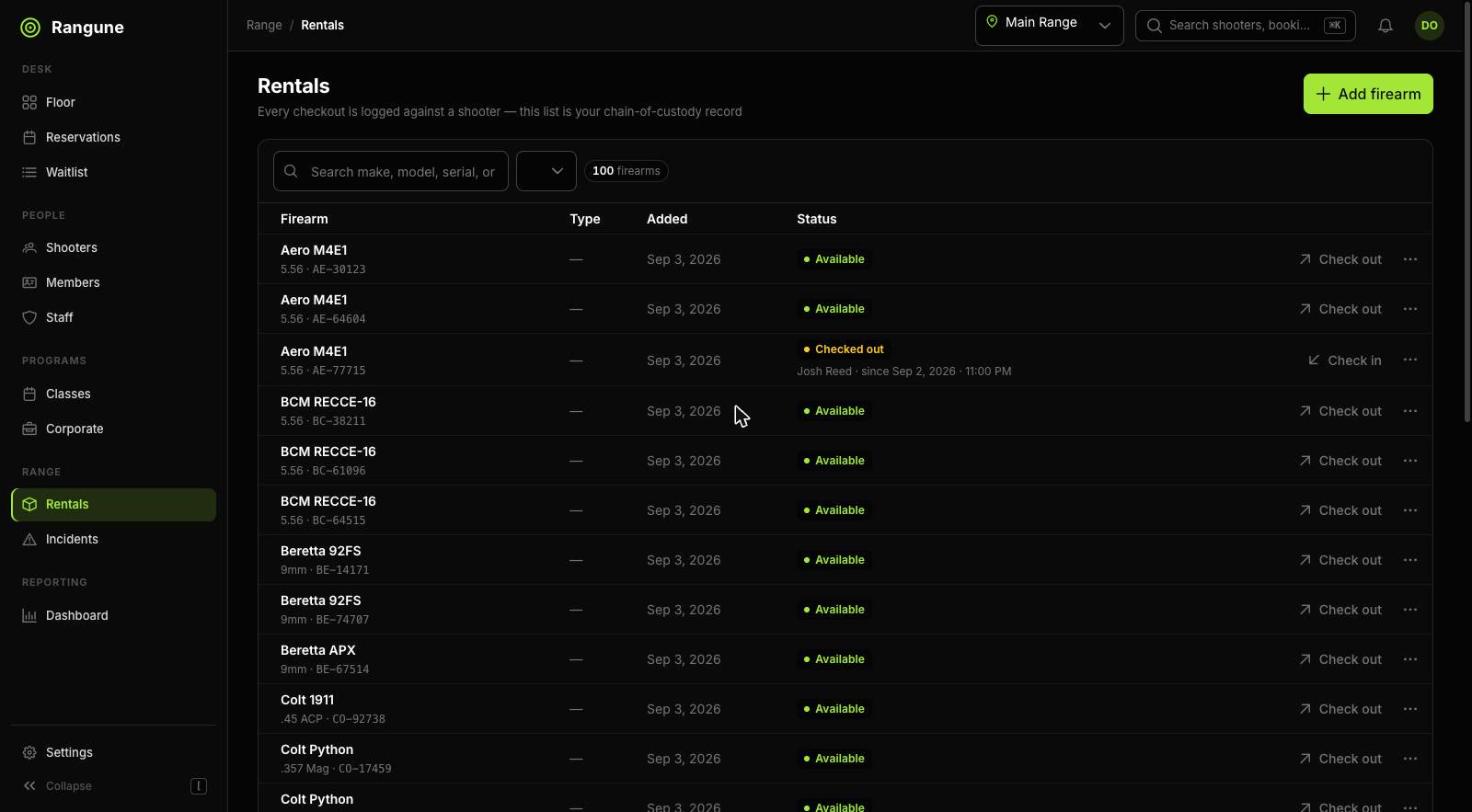
The pool: what is on the shelf, what is on the line, and who has it.
06Reporting
Numbers you can
act on Monday.
Not a wall of dashboards. The handful of measures that change what you do next week, over any date range you pick, for one location or all of them at once.
-
Five measures, not fifty
Revenue, bookings, utilisation, no-show rate and new members. Enough to run the business, few enough to actually read.
-
Any range, one click
Seven days, thirty, ninety, or two dates you type in yourself.
-
The same numbers per location
Every measure repeats per location and ranks them against each other, so a weak site is obvious without exporting anything.
-
Everything exports
CSV on every list, and an API on Pro. Your numbers are not hostage to our charts.
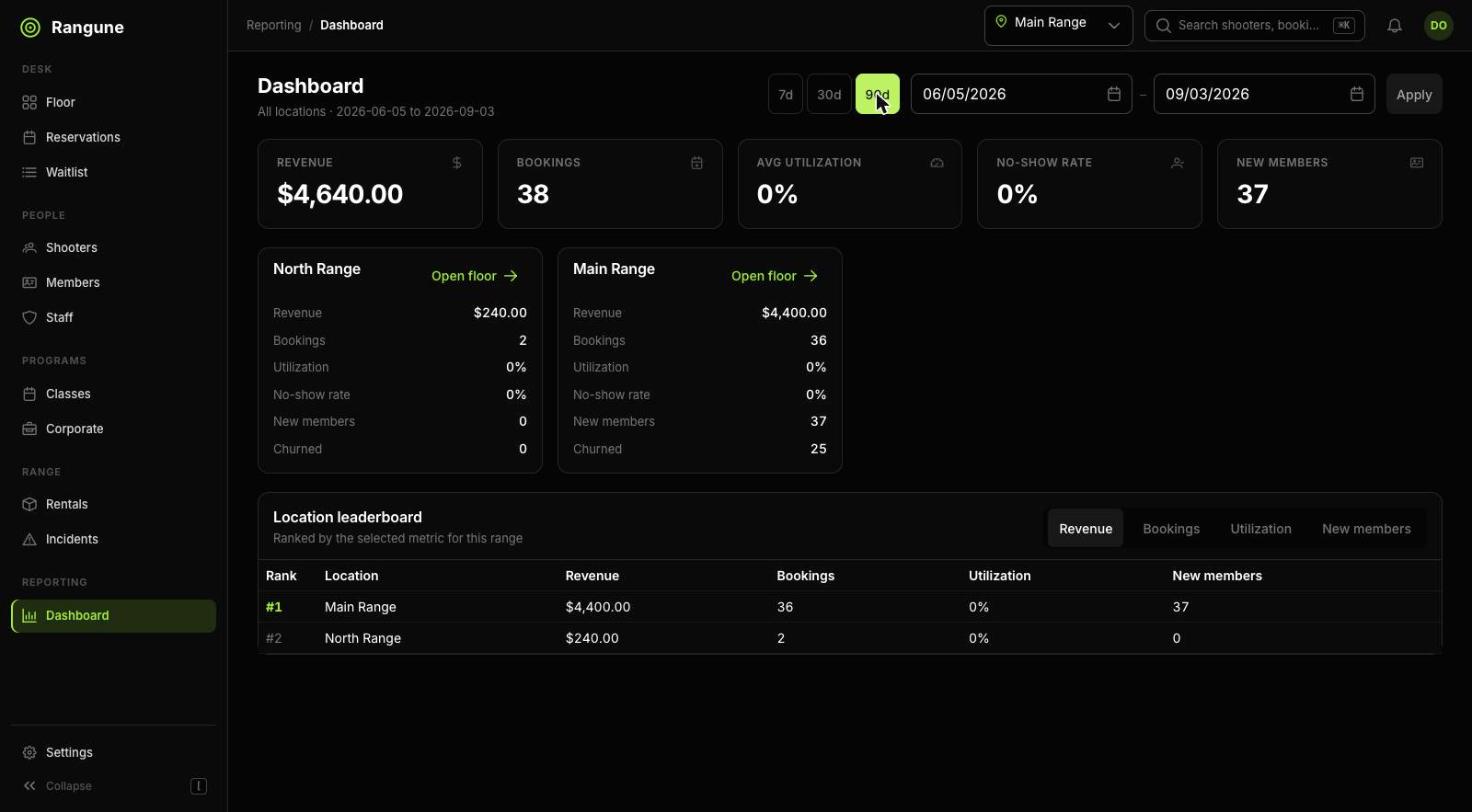
A demo tenant, so the numbers are small. The shape is the product.
07Multi-location · Pro
Every range you run,
on one screen.
A reporting layer above the day-to-day floor. Compare locations side by side, then drop straight into any one of them without signing out and back in as somebody else.
-
Roll up or drill down
Switch between all locations and any single one from the header, anywhere in the app. The screen you are on stays the screen you are on.
-
Open the floor from the rollup
Each location card links straight into that range’s live floor. No second login, no account switching.
-
Permissions that hold
An owner sees everything; a location manager sees their own range. Enforced on the server, not hidden in the UI.
-
Settings per location
Hours, lane rules, pricing and waiver text are per location, because a range in a different state has different rules.
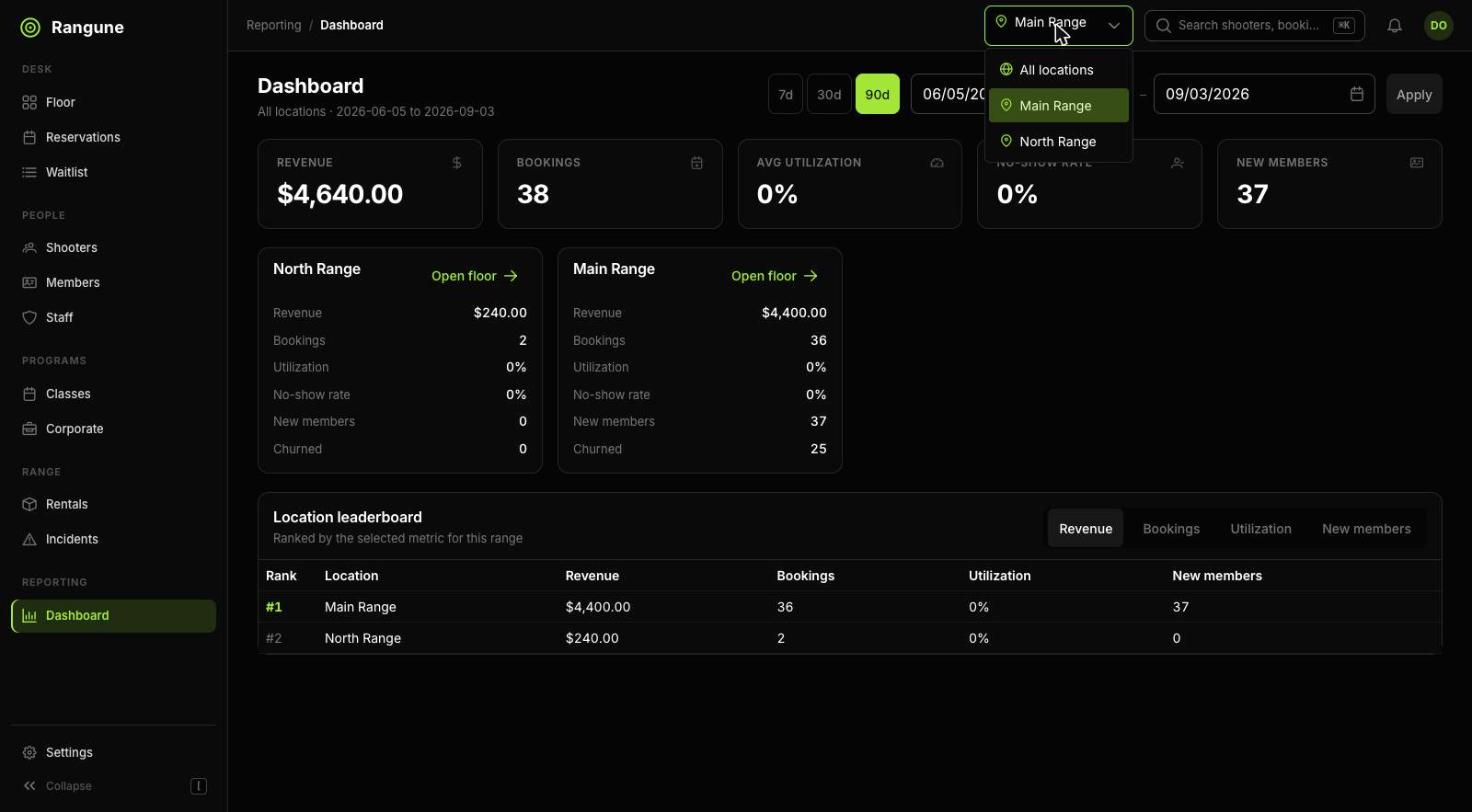
The switcher lives in the header, on every screen.
The rest of it
And the hundred
small things.
The parts nobody puts on a feature page, which are exactly the parts you notice missing in week two.
- Confirmation and reminder emails
- Cancellation and reschedule rules
- Refunds straight from the reservation
- Blackout dates and holiday hours
- Lane maintenance and out-of-service
- Waitlist with notifications
- Class and instructor scheduling
- Corporate and group event bookings
- Incident logging
- Staff accounts with roles
- Full audit trail on every change
- Timezone-correct everywhere
- CSV export on every list
- Kiosk mode for lobby tablets
- Mobile-first for the front desk
- Light and dark themes
- Accessible keyboard navigation
- Your data exportable on the way out
See it running
on your own lanes.
Fourteen days free, your real hours and rules. The fastest way to find out whether this fits your range is to put your range in it.